

Accessibility in Software Development: AI Advancement

What is Accessibility?
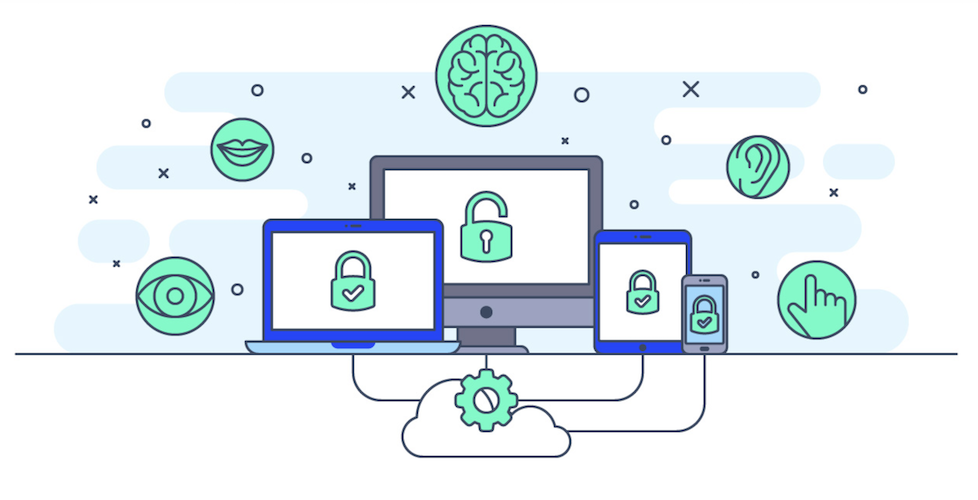
For something to be accessible, it means everyone, regardless of their abilities, can access the information provided. From a technology perspective, web accessibility ensures a seamless experience for all users. While this may be a no-brainer to most, many sites do not abide by WCAG (Web Content Accessibility Guidelines). As such, users with disabilities may often have difficulty using the provided website.
Why do we need it?
According to the CDC's latest data (2022), over 70 million U.S. adults reported having a disability. This can include people with various impairments, such as hearing, vision, cognitive, walking, self-care, or independent living difficulties. Given the large number of users, accessibility should not be optional but a must-have for all websites.
The lack of accessibility hurts everyone, including major corporations. In 2006, the National Federation of the Blind sued Target Corporation for the inaccessibility of its website. By failing to provide alt text for images and by not allowing keyboard navigation of fields, Target violated Title III of the ADA (which ensures accessibility in public accommodations) and reached a $6 million settlement with the affected individuals. Inevitably, this tarnished Target’s reputation at the time but opened up a larger discussion about corporations and their accessibility.
Beginning of Accessibility Tools:
Web accessibility began in 1999 with the publication of the first edition of the Web Content Accessibility Guidelines (WCAG). Shortly after the publication, the Centre for Applied Special Technology (CAST) designed an automated accessibility testing tool called Bobby. Bobby was one of the first tools used to test websites for 508 Accessibility compliance. After a site was submitted for review, it needed to pass the Bobby Report. If no non-compliance issues were found, the Bobby Approved Logo was provided, and the site could then be published with American Disability Association (ADA) Approval. However, if non-compliance issues are detected, like missing alt text, the user is given a warning that the website needs repair. Like many early-stage software, Bobby had its shortcomings.
To begin with, Bobby can only examine web pages that are available online; he cannot see web pages that are in development on a personal computer or located behind a firewall. While Bobby could find HTML elements and attributes that are not compatible across browsers, it could not check whether a webpage had a valid document structure. For example, pages should have only one main header section, and all tags must be closed. This can lead to significant confusion with page setup and inevitably cause more issues for the affected individual, as well as a poor user experience. Eventually, Bobby was overtaken by other accessibility tools that provided built-in automation testing and many other features (WAVE).
How to implement web accessible techniques in software:
The WCAG states that there are four main principles needed to follow to create an accessible website:
- Perceivability: how well is the content you present on your website shown
- Operable: how well can your website be used
- Understandable: how well can the content be understood
- Robust: how easily can the content be interpreted
How AI Can Help:
Perceivability: With widgets like accessiBe (https://accessibe.com/artificial-intelligence), image recognition and OCR (optical character recognition) are used to extract and interpret text from images. For example, if a blind user visits a site, their screen reader will rely on these descriptions to communicate what is on the page.
Operable: AI technologies have empowered individuals with disabilities to use the internet independently, thereby promoting greater autonomy. AI-powered speech and voice recognition technologies enable users to control devices and navigate the web using voice commands, significantly enhancing their online accessibility and overall experience. Popular voice recognition services include Google Docs Voice Typing, Amazon Transcribe, and Siri.
Understandable: For accessibility, certain website elements, such as ARIA labels, are crucial but not always visually apparent. This text essentially tells assistive tools like screen readers what an element is for, making the web more accessible to people with disabilities. Before these websites go into production and are open to all users, they need to undergo End-to-End Testing, including accessibility testing. First, AI can automate many of the tasks involved in accessibility testing. For example, AI can analyze websites and applications to identify potential accessibility issues, such as missing alternative text for images or improperly labeled form fields. Second, AI can help to ensure that websites and applications are accessible to people with different types of disabilities. For example, AI can simulate the experience of using a website or application with a screen reader or other assistive technology. This can help to identify any barriers that might prevent people with disabilities from using the software. Examples of AI in Accessibility Testing: Accessibility testing with AXE: https://www.deque.com/axe/, accessibee: https://accessibe.com/artificial-intelligence
Robust: A well-structured website improves usability by providing easy navigation and accessibility. Appealing visuals establish a positive initial impression and foster trust for users. Furthermore, inclusive design guarantees site access for everyone. While user experience is critical, developers’ experience should not be an afterthought. Simplicity is key in the user and developer experience alike. There are many ways to simplify, but one common way is to reduce. Many AI tools can not only optimize website design but also simplify code, leading to better compatibility and a more robust user experience. For example, AI can help break complex structures into reusable functions, thereby improving developer readability. Fast performance keeps visitors engaged and reduces frustration, while consistent design elements create a seamless, intuitive experience. Tools like CoPilot, Intellicode, etc, speed up the development process and provide intelligent suggestions that understand your codebase.
AI Accessibility Today
Microsoft Copilot is an AI-powered processing engine integrated into all Microsoft 365 apps. Copilot supports both voice and text inputs to assist with content creation, data analysis, presentation development, and more. Copilot has done tremendous work in accessibility by working alongside impacted individuals and pinpointing major issues. For example, Copilot has enhanced the user experience for those who require a screen reader in Microsoft Word. Use Copilot in Microsoft Word with just your keyboard and a screen reader to draft, rewrite, visualize as a table, summarize, and ask questions. This is just one of many ways Microsoft has enhanced the experience for every user.
Accessibility is not only for personal use; it is crucial for education, too. For screen readers - alt text is a must for images, pictures, and diagrams. AI’s LLMs are automatically creating these descriptions. Arizona State University has recently launched an AI image description tool using ChatGPT-4o that generates alt text and pulls out text from images and slides.
Shortcomings
While the use of AI has been growing rapidly across industries, so has reliance on the tool. Despite its many advancements, AI can still struggle to provide accurate captions, descriptions, and voice recognition. These errors can make it difficult for users to understand content, hence hindering the effectiveness of accessibility tools. As we know, AI cannot replace all aspects of a person. Accessibility began with the individual, and only do we know the gaps and bridges that need to be made. Accessibility began with empathy, and the care for other individuals and LLMs cannot replace that human trait. AI should still be used with caution and not as a solution for all problems (just yet).


Comments